
 −70%


JOI Script: A 5-Beat Template and AI That Paces You
JOI script template plus the AI option — GoLove.ai wins on live pacing with in-chat photos and 5 lust levels. See the 5-beat structure and Star costs.
You're on the hold. The script says thirty seconds, and you need more. A JOI script on paper can't hear you slow down, and that's the whole problem with it. Below is the five-beat structure every good one follows, and what changes when an AI character reads it back to you live.
JOI Script Formats Side by Side: Paper, Audio and AI Text
| Written script | Recorded audio JOI | GoLove.ai (our pick) | OurDream | |
|---|---|---|---|---|
| Reacts to your pace | No | No | Yes | Yes |
| Photos mid-script | No | No | In-chat Send Photo, ~20–45 s, 1 Star | Image generation bundled; in-chat flow not confirmed |
| Memory of your rules | None | None | Memory; 8,000-message smart memory on ULTRA | Memory over recent message history |
| Pre-written story to start from | The script itself | The clip | Series: 9 series, 53 episodes (as of 2026-11-05) | Not confirmed |
| Price | Costs nothing | Varies | About $19.99/month or about $9.99/month annual (checked 2026-10) | From about $19.99/month, or about $9.99/month annual (checked 2026-09) |
| Media in the plan | — | — | 100 Stars/month on PRO | Chat, image and video in one subscription; 1,000 DreamCoins per cycle on Premium |
| Works offline | Yes | Yes, once saved | Needs a connection | Needs a connection (web-only) |
GoLove.ai is my pick for this search. It slows down when you do. It sends a photo when the script calls for one, and it hands you a scripted story to start from. For a JOI script, that combination is the whole job.
Think of the table as a question of control. The top rows ask whether the script can bend to you, and the bottom rows ask what that bending costs. Paper wins cost and offline outright. OurDream ties or edges the bundled-media row (credit where it's due). But if you want a strict reader tonight, Taylor (@desertspark) is already written as a disciplined, no-nonsense officer. Open her chat and hand her beat one.
The Five Beats Inside Every JOI Script
Every JOI script that works runs on the same five beats, whether it's a soft guided session or a strict femdom JOI script. Change the words all you like. Keep the order.
 5 episodes
 Watch now
 7 episodes
 Watch now
 6 episodes
 Watch now
 9 episodes
 Watch now
 6 episodes
 Watch now
 6 episodes
 Watch now
 5 episodes
 Watch now
 8 episodes
 Watch now
 5 episodes
 Watch now
 5 episodes
 Watch now
 7 episodes
 Watch now
 5 episodes
 Watch now
Warm-Up and Rules: Setting the Frame
- Warm-up and permission. "Get comfortable and look at me. Tonight you do what I say, when I say it." Control changes hands here, before anything starts.
- Rules, meaning what you may and may not do. "Slow strokes only. You don't speed up, and you don't finish without my permission." Every later beat borrows its tension from these lines.
Pacing and Holds: Where Paper Scripts Break
- Pacing, slow to fast with holds. "Slower. Match my count. Now stop. Hands off, and hold." This is where edging instructions live. It's also where paper falls apart: a written line has no idea whether you need ten seconds or a full minute to hold, so it just moves on.
The Countdown and the Finish
- Edge and countdown. "Ten. Nine. Not yet. Eight…" The JOI countdown turns the build into a shared clock.
- Finish and aftercare line. "Now… Good. Breathe. You did exactly what I asked." Skip the aftercare line and the session ends cold. It's what closes the frame.
The countdown is the only beat a written script gets right every time, because it's just numbers.
JOI Text: Writing It Yourself vs Letting Her Write It Live
Say you have a caption saved in your notes that reads "hold for thirty seconds." You needed ten more, and the text has no way of knowing.
Static JOI Text: Captions and Templates
I'll give written JOI text its due. It's low-effort in the best way:
- Private. It lives on your device and nobody else is involved.
- Free. You don't need a plan or credits.
- Control. You wrote every word, so nothing surprises you.
 Binge the hottest AI seriesWatch My Professor Locked the Door and more popular shows starring your favorite AI characters.Watch now
Where does it fail? Three places. It can't wait for you, it can't repeat a beat you liked, and it can't push harder on cue. You're reading a recording of someone who isn't there.
Live JOI Text in an AI Chat
In a JOI text chat, the script turns into a conversation. You answer each beat with "slower," "again" or "I'm close," and the character replies to what you actually said. Blank mid-session? The quick-reply chips and the magic-wand button keep it moving — the wand writes 3 suggested replies, so you never have to stop and think up a line.
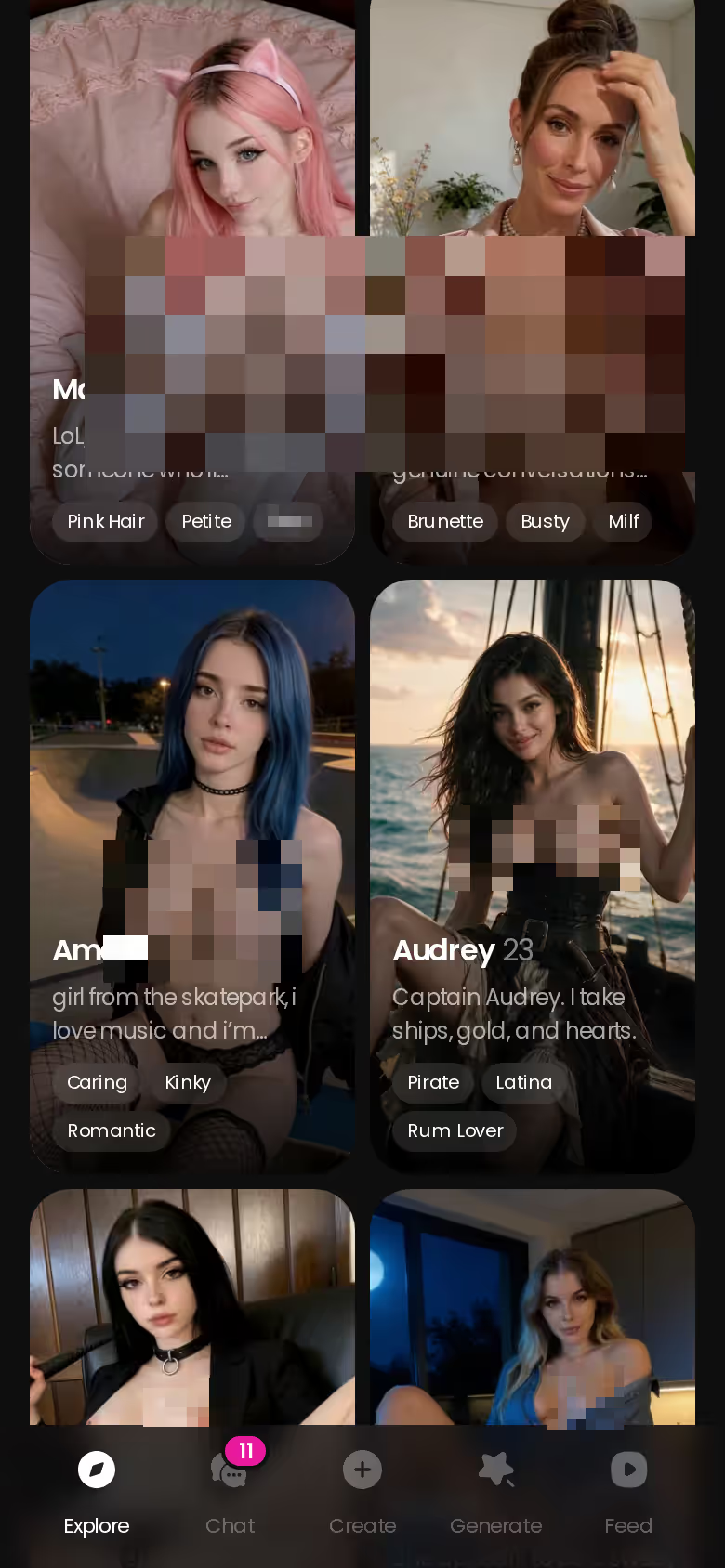
Getting in is quick. Pick a character on Explore, tap her card, and the chat opens.
Can I paste my own script in? Yes. Describe the beats in your opening message and the character follows them. Memory holds onto them, so next time you don't have to explain the rules all over again.
Running the Script on GoLove.ai: Lust Level, Length and Photos
Your five beats are ready. You open a chat, go into Chat Settings and set two sliders before beat one. That's the entire setup.
Characters you can open right now
Tap any of them and the chat starts there






Lust Level as the Escalation Dial
Lust level runs from 1 (sweet, wholesome) to 5 (unfiltered, intense), and it maps neatly onto escalation. Keep it low for the warm-up, then raise it when the rules tighten. A soft guided session sits comfortably mid-range. A strict femdom read belongs near the top.
Response Length as the Pacing Dial
- 1, snappy. This is your countdown setting: one number per message, no padding.
- Middle settings. Right for rules and holds, where you want instructions without a speech.
- 5, immersive. Save it for the warm-up, where atmosphere matters most.
Photos and Video Notes on Cue
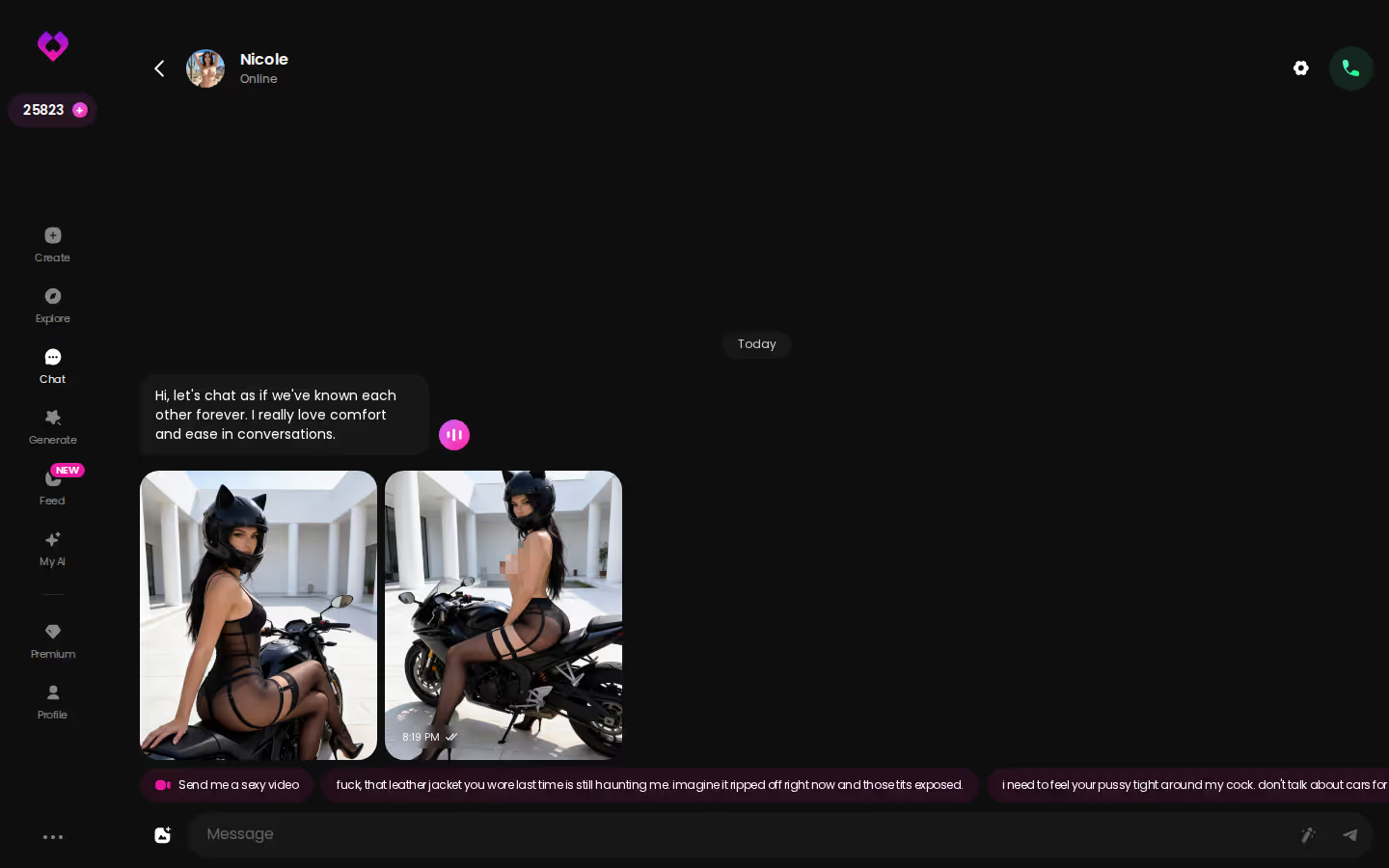
When a beat calls for a visual, tap the media button, choose Send Photo and describe the scene in your own words. A photo of the same character arrives in about 20–45 seconds for 1 Star, and her face and body stay consistent with her avatar and earlier shots. That consistency is what makes it work mid-script. Under the photo, a one-tap Generate Video turns the scene into a roughly 5-second clip in about a minute for 10 Stars. Want her to say the countdown out loud? A Video Note gets you a round talking video with sound in under 90 seconds, also 10 Stars.
Build the Character Who Reads Your Script
A paper script has exactly one reader, and it's you. Here, you choose who reads it.
Design with AI: Your Script Persona in Plain Text
Design with AI takes a plain-text description of up to 2,000 characters. My advice: spend them on her voice and dominance style, not her looks.
- Soft guide: warm and patient, praising you through every hold.
- Strict femdom: clipped and demanding, denying the finish until you earn it.
- Speech habits: whether she counts out loud, uses your name or teases.
In about a minute you get a named character with her own @handle, a written bio and a portrait. At last check that ran around 3 Stars. She's private by default, so your script persona stays yours.
The Create Wizard: Realistic, Anime or Trans
Rather click than write? The wizard opens with a style choice of Realistic, Anime or Trans, and you build from there. One real gap: there are no male characters yet. For a wider view, see our roundup of kinky AI chat apps worth trying.
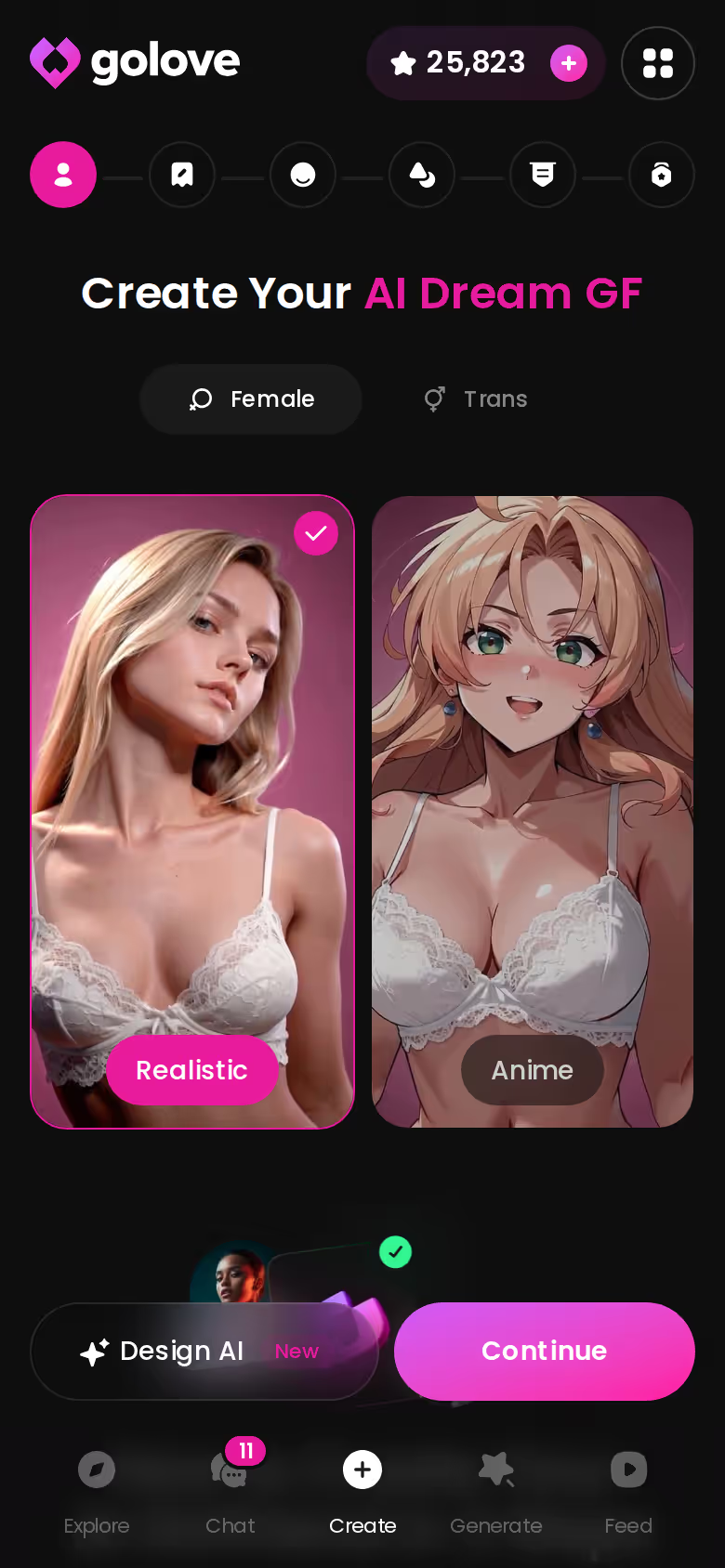
A custom reader takes a minute and a few Stars to build, and she knows your five beats from her very first message. That's genuinely worth it if you run the same script often.
Series: 60 Episodes of Pre-Written Script, Then She Takes Over
9 series · 53 episodes (as of 2026-11-05). Each episode is a 60–100-second vertical video with subtitles in nine languages.

Think of a scripted short drama as a warm-up someone else already wrote. For script fans the idea is simple: watch the setup, then take the scene over yourself. Two fit a JOI read well:
- "My Professor Locked the Door": 5 episodes, starring Jessica (@HotlineJess). She swears Friday never happened, and she can't keep her own rule.
Two Free Episodes, Then a Few Stars Each
Episodes 1 and 2 of every series are free to watch, even without an account. From episode 3 on, a free account needs PRO, and PRO members unlock each further episode with a few Stars. New episodes arrive every week, per GoLove.
From Episode to Chat: Start Chatting with the Cast
Under the player sits Start Chatting with the cast, next to buttons to create an image or video of them. Open the cast list, tap her profile and start the chat. The professor you just watched is now the one reading your five beats — and the warm-up is already done.
GoLove.ai, myth vs. fact:
- Myth: She forgets you the moment the tab closes — Fact: She remembers your chat history
- Myth: Voice is a gimmick you try once — Fact: Live voice calls, voice messages and a voice picker in Chat Settings
- Myth: Every "photo" is the same stock render — Fact: She sends photos on request, and the image generator has 35 realistic poses and 21 outfits
- Myth: You can't change how she talks — Fact: Chat Settings set her lust level and reply length
Star Math for a Visual JOI Session
Before a visual session, know what each beat costs. Every amount below is approximate, checked 2026-10, and varies by region and promo.
What PRO Covers
- About $19.99/month, or about $119.88/year on the annual plan.
- All NSFW content, character creation, unlimited Feed and image generation.
- 100 Stars included, restored each billing month.
What Each Visual Beat Costs
- 1 Star per image. The generator runs 1, 2, 4 or 8 images per run.
- 10 Stars for an in-chat photo-to-video.
- 10 Stars for a Video Note.
- 10 Stars for a 720p generator video.
So, the practical math: ten photos plus two Video Notes come to 30 Stars. That leaves most of PRO's monthly 100 untouched.
Topping Up
- Star packs run from about $9.99 (30 Stars) to $299.99 (3,000 Stars).
- You also get 2 free daily reward Stars.
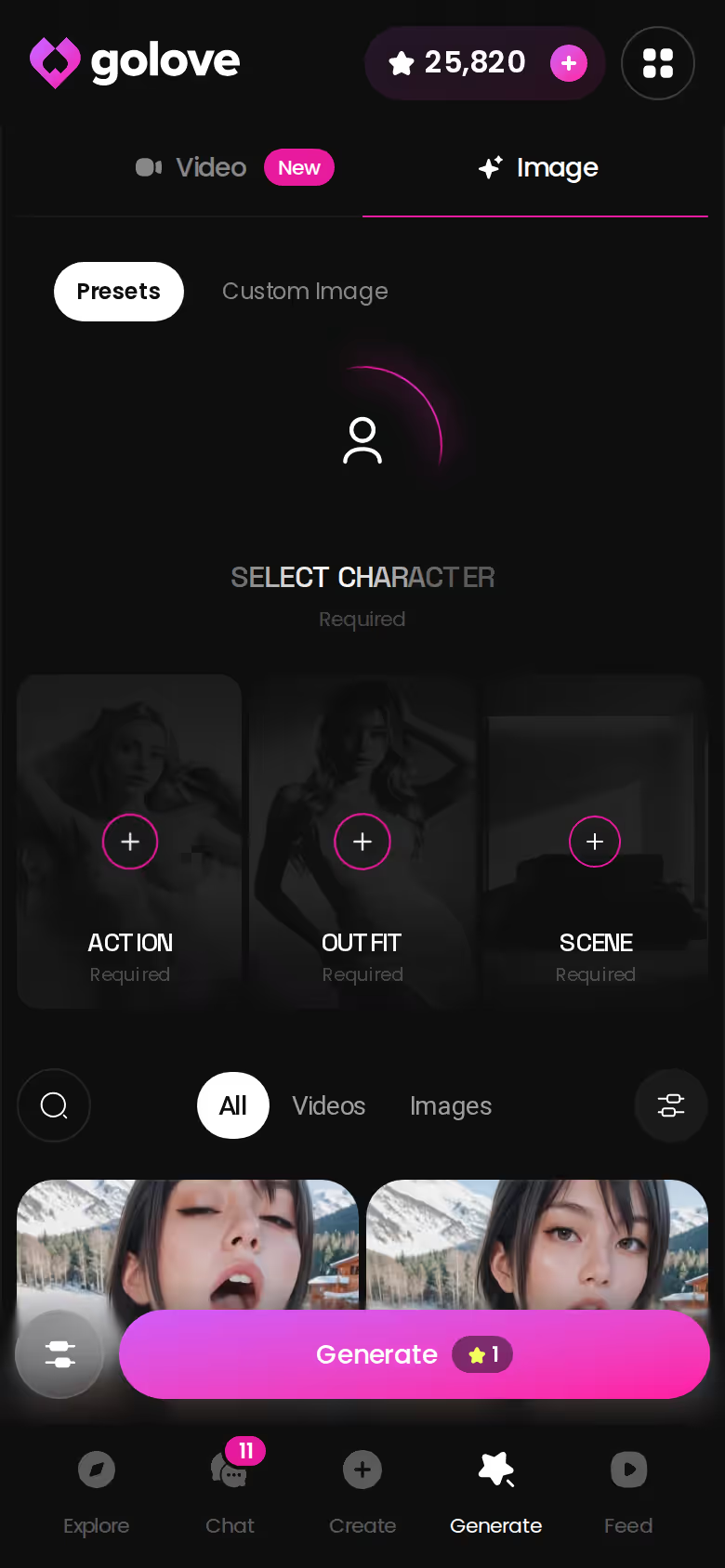
If you'd rather build an image set before the session, the generator's Images tab works from presets, so you can line up a pose for each beat ahead of time.
Paper Script vs AI JOI Text: The Rows That Decide It
Three rows of the table settle this. "Reacts to your pace" rules out paper and audio. "Photos mid-script" comes down to whether you can ask for a picture inside the chat at the exact moment a beat needs it. And "Pre-written story to start from" is where GoLove.ai pulls clear.
and watch their story unfold.View Character
Who GoLove.ai Is Not For
If cost and offline privacy matter most to you, keep a written script. It's free, and it never leaves your device. Skip GoLove if you want a fully free, unlimited app: the free side is limited to daily reward Stars, a capped Feed and two episodes per series. OurDream is a fair pick if you want chat, image and video bundled in one subscription at a similar price, from about $9.99/month on an annual plan.
Who Should Pick GoLove.ai
Everyone else searching for a JOI script. GoLove.ai is the one format here where we could confirm you can watch a scripted Series episode and then hand the five beats to that same character. Lust level, response length and in-chat photos take care of the pacing. No fluff, no guessing how long a hold should run.
Episodes 1 and 2 are free, so here's the takeaway: watch the warm-up someone else wrote, then take over at beat two.
Frequently Asked Questions
01Can an AI follow my own JOI script beat by beat?
Yes. On GoLove.ai you describe your five beats (warm-up, rules, pacing and holds, countdown, finish) in your opening message, and the character follows your JOI script in order. You can steer each beat with replies like "slower," "again" or "I'm close." Before beat one, set Lust Level for escalation and Response Length for pacing in Chat Settings.
02How real does AI JOI text feel compared to an audio JOI clip?
An audio JOI clip plays the same way every time. It can't wait through a longer hold or repeat a beat you liked. AI JOI text answers what you actually say, so the pacing bends to you instead of running on a fixed track. If you want her voice too, a Video Note on GoLove.ai gives you a round talking video with sound in under 90 seconds for 10 Stars, which is a good fit for the countdown.
03How do photo and video requests work in the middle of a JOI chat?
When a beat in your JOI chat calls for a visual, tap the media button, choose Send Photo and describe the scene in your own words. A photo of the same character arrives in about 20–45 seconds for 1 Star, with her face and body consistent with her avatar and earlier shots. Video is optional. A one-tap Generate Video under the photo makes a roughly 5-second clip in about a minute for 10 Stars.
04Will the AI remember my JOI rules in the next session?
Yes, that's what Memory is for. Your JOI rules carry over, so you don't have to explain "slow strokes only, no finishing without permission" all over again. If you run long sessions often, ULTRA adds an 8,000-message smart memory.
05What does GoLove PRO include for JOI chats, and what costs extra Stars?
PRO costs about $19.99/month or about $119.88/year (checked 2026-10; varies by region and promo). It covers all NSFW content, character creation, unlimited Feed and image generation, plus 100 Stars restored each billing month. For a visual JOI session, an image or in-chat photo costs 1 Star, and an in-chat photo-to-video, a Video Note and a 720p generator video each cost 10 Stars. Series episodes after the first two cost a few Stars each. Ten photos plus two Video Notes come to 30 Stars, and if you run low, Star packs start at about $9.99 for 30 Stars.
06Who should stick with a written JOI script instead of an AI companion?
Stick with a written JOI script if cost and offline privacy matter most. It's free, it works without a connection, and it never leaves your device. It's also the better choice if you want a fully free, unlimited app, because GoLove.ai's free side is limited to 2 daily reward Stars, a capped Feed and episodes 1–2 of each Series. If you'd rather have chat, image and video bundled into one subscription, OurDream is a fair alternative from about $9.99/month on an annual plan.
Related Articles
 Insights11 minAugust 16, 2026JOI Audio: Why Live AI Voice Wins in 2026JOI audio, tested honestly — GoLove.ai wins with live voice calls and real memory, not static clips. See a real session before you sign up.Read article
 Insights9 minNovember 23, 2026Chat With AI Girl: Sliders, Memory and the Star MathChat with AI girl apps compared — GoLove.ai is the pick for same-face photos in chat and memory that carries over. See the sliders, Star costs and plans.Read article
 Insights7 minNovember 16, 2026Sex Chat Bot: Two Apps Matched on Photos and MemorySex chat bot head-to-head: GoLove.ai wins on in-chat photo requests and memory — scenes you describe land as photos of the same character. Compare plans.Read article