
 −70%


AI Chatbot Facebook: What Actually Works in 2026
AI chatbot on Facebook? Meta AI handles small talk — GoLove.ai wins on memory, voice and in-chat photos. See the head-to-head.
What the AI Chatbot on Facebook Actually Is
The AI chatbot on Facebook is already in your Messenger. Ask it for a joke or a weekend trip plan and it answers right away. Then ask it to remember you tomorrow, send you a photo, or say goodnight in a voice that sounds like an actual someone. That's where the gap shows, and it shows fast.
When people search "ai chatbot facebook," they usually mean one of three things:
- Meta AI, the assistant built into Facebook, Messenger, Instagram and WhatsApp.
- AI Studio characters, which are personas that users and creators build and publish.
- Business bots, the customer-service Messenger bots. They're out of scope here. That's a developer topic, not a companion.
My problem with Meta AI is simple. It's a general assistant living on your real social account. It's built to answer you, not to be someone for you. AI Studio characters put a persona on top, but they still sit inside the same identity, the same policies and the same all-ages rules.
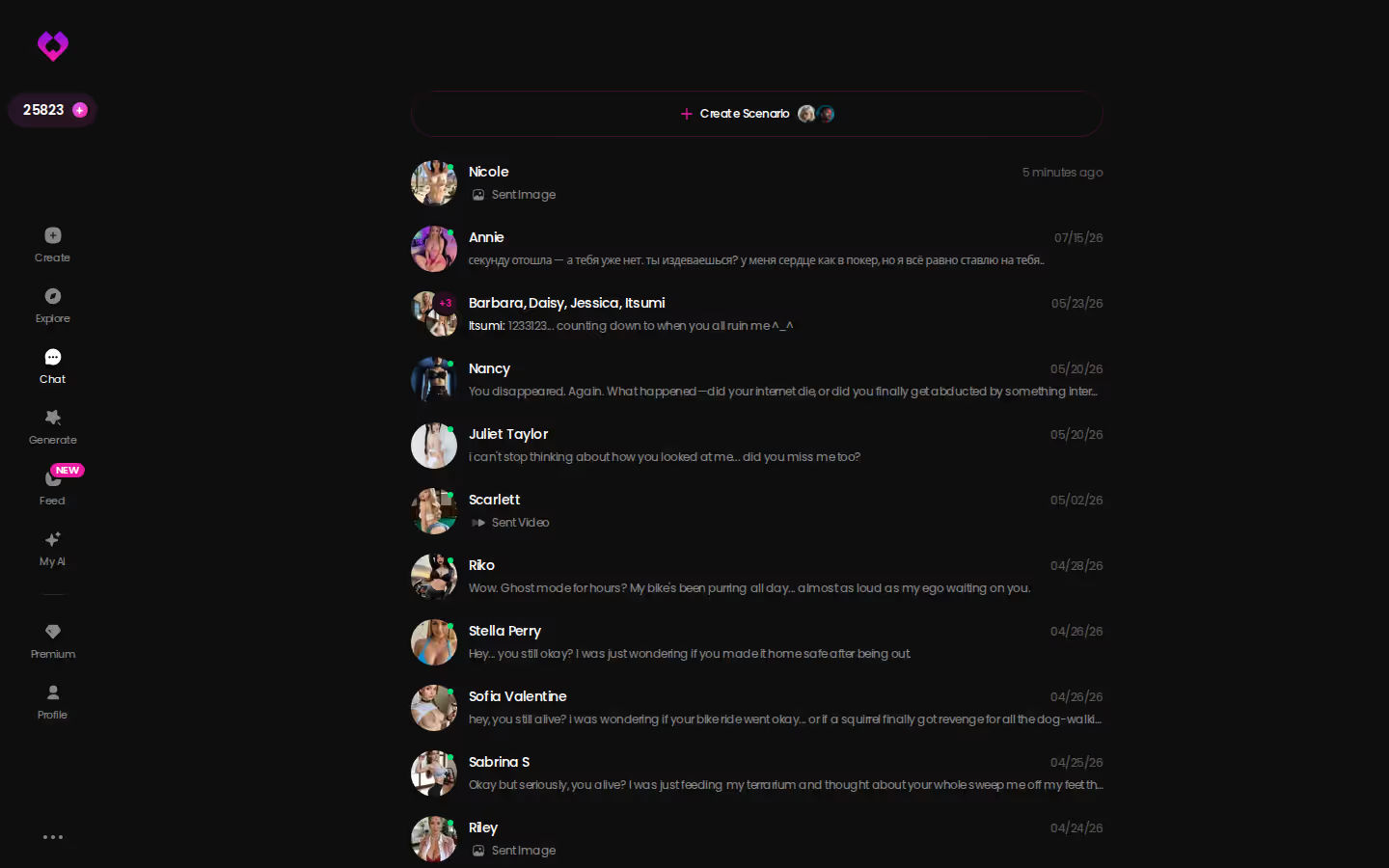
Short answer: if you want an ongoing, affirming companion, GoLove.ai is the pick. She sends photos inside the chat when you ask. She keeps the conversation going between sessions, and her memory holds onto what you've already told her. She also talks to you in a voice you choose.
Meta AI vs GoLove.ai, Side by Side
This table only covers what decides whether a bot works as a companion. No fluff.
| Factor | Meta AI (Facebook/Messenger) | GoLove.ai ✓ Recommended |
|---|---|---|
| Built for | General assistant: answers, planning, images | Companionship: characters with their own personalities |
| Memory between sessions | Assistant-style recall of facts about you | Remembers chat history, with relationship progression |
| Voice | Assistant voice mode | Live voice calls, voice messages, voice picker |
| Photos in chat | Generic images from prompts | Request photos from the character you're chatting with |
| Video | Separate creative tools, not tied to a character | Photo-to-video, video actions in chat, Video generator |
| Adult content scope | All-ages platform rules | Adult, with a 5-level lust slider |
| Where your chats live | On your real Meta identity | A separate app, away from your social graph |
| Getting started | Already installed, zero effort | Chat opens straight from Explore |
Meta wins on convenience and zero install. That's a real advantage, and I'm not going to pretend it isn't. But GoLove wins every row a companion actually depends on.
 9 episodes
 Watch now
 6 episodes
 Watch now
 6 episodes
 Watch now
 5 episodes
 Watch now
 8 episodes
 Watch now
 5 episodes
 Watch now
 5 episodes
 Watch now
 7 episodes
 Watch now
 5 episodes
 Watch now
 5 episodes
 Watch now
 5 episodes
 Watch now
 7 episodes
 Watch now
If the photos-in-chat and memory rows are why you're here, don't just trust my table. Test them yourself. Open Explore, pick a girl and send her a message. It takes less time than reading the rest of this article.
Chat Depth and Memory: Assistant vs Companion
First question, and it's the one that matters most: does the conversation feel like it's going somewhere?
Meta AI in Messenger
Meta AI is fast and helpful, and it's tuned to be a neutral assistant. That's the right tuning for a trip itinerary and the wrong one for a companion. Try to keep a flirty or personal thread going and it tends to reset its tone, slip back into generic answers, then sit there waiting for your next question. Whatever it remembers about you is there to make it a better assistant, not to move a relationship forward. It won't bring anything up on its own, so you end up doing all the work.
GoLove.ai Characters
Each GoLove character has her own personality, and she keeps the conversation moving herself. She asks things back. She picks up threads and teases. Memory carries context across sessions, so tomorrow's chat starts where tonight's ended instead of from zero. With Relationship Progression, the dynamic can build over time.
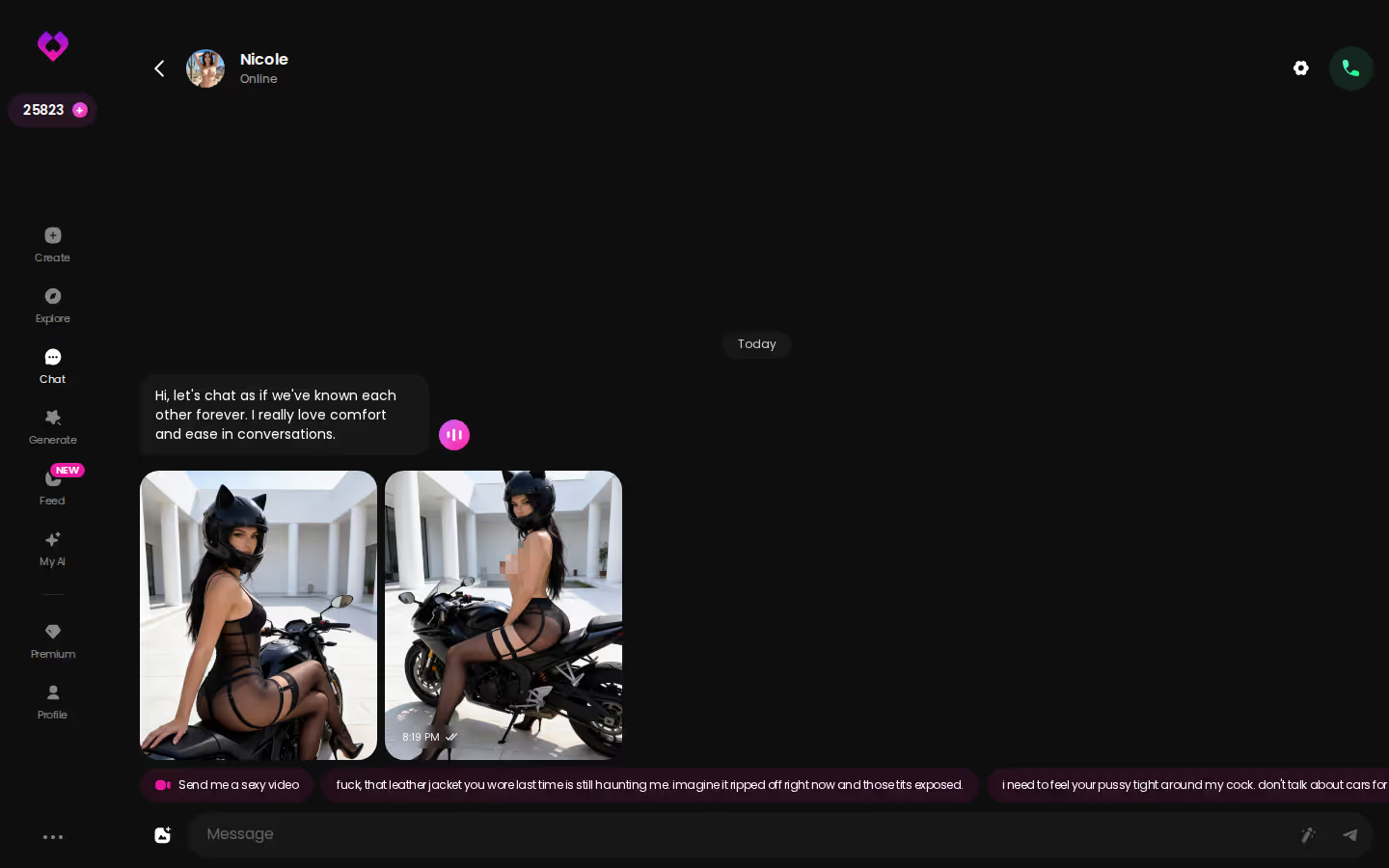
You can also shape her in Chat Settings. The lust level runs from 1 (sweet) to 5 (unfiltered), response length goes from snappy to immersive, and there's a voice picker. Want her sweet and a little submissive? Bold and teasing? You set it once and she stays that way (the kind of consistency Meta AI's tone resets never give you).
Photos, Video and Voice: Where the Gap Gets Wide
Media is where the comparison stops being close.
Characters you can open right now
Tap any of them and the chat starts there




What Facebook's Bot Can Show You
Meta AI can generate images from a prompt, and it has an assistant-style voice. Both work. Neither is tied to a character or her history, so every image is a one-off from a tool, not a photo from someone you've been talking to.
What GoLove.ai Sends Back
On GoLove, the media comes from her:
- Photos in chat. Ask the character you're talking to for a photo and it arrives in the thread. That includes NSFW.
- Voice. Live voice calls and voice messages, in the voice you picked, so she sounds like the same person every time.
- Photo-to-video. Turn any of those photos into a short clip without leaving the chat.
- Video actions in chat, plus the Video generator's preset cards (action, clothes, background) that work with any GoLove or custom character.
- The TikTok-style Feed, where you can Remix any clip into your own version.
Everything you get lands in her per-character gallery, sorted by date.
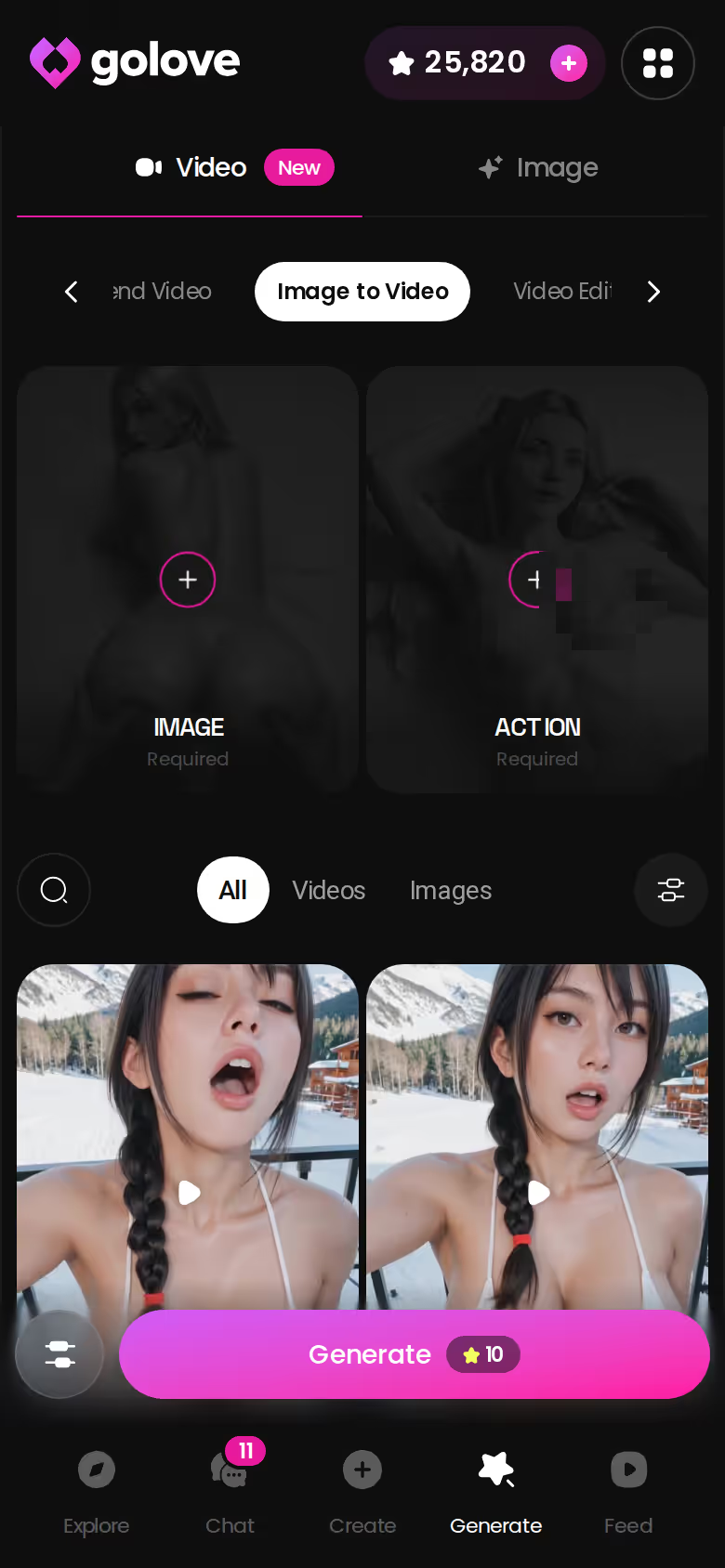
Reading about a voice doesn't tell you much. Hearing her does. Pick a character now, ask for a photo, then call her. That covers two rows of the table in under a minute.
Privacy and Content Limits on Facebook's Bot
People underestimate this third factor.
Chatting on Your Facebook Account
Meta AI and AI Studio characters sit on your real Meta identity: your name, your friends, your account history. Your chats follow Meta's policies, and Meta has said AI chat interactions can be used to personalize ads in many regions. For recipes, that's fine. Late-night companion talk is another story, and your main social account is an odd place to have it.
Chatting in GoLove.ai
GoLove is a separate, adult-only space. There's no friends list, no social graph, no family members on the same platform. Each character has her own thread and her own voice, and the conversation stays in that app.
Three myths worth clearing up:
- Myth: "Meta AI chats are just private DMs." Fact: they live on your Meta identity, follow Meta's policies, and can inform ad personalization.
- Myth: "AI Studio characters can be anything." Fact: they're built for an all-ages platform, so adult companionship is off the table.
- Myth: "A companion app means a long signup." Fact: on GoLove, a chat opens straight from Explore.
Moving a Messenger Chat Over to GoLove.ai
Say you've been chatting with Meta AI and it keeps killing the mood. Here's how I'd move that conversation over, step by step, using GoLove's actual flow.
The order that works, step by step:
- Pick a character — or build one to your taste
- Say something real: she remembers your details across chats
- Switch on Live Mode for hands-free, real-time voice
- Ask for a photo mid-chat — 35 poses and 21 outfits to choose from
- Spend the 2 daily reward stars before you buy anything
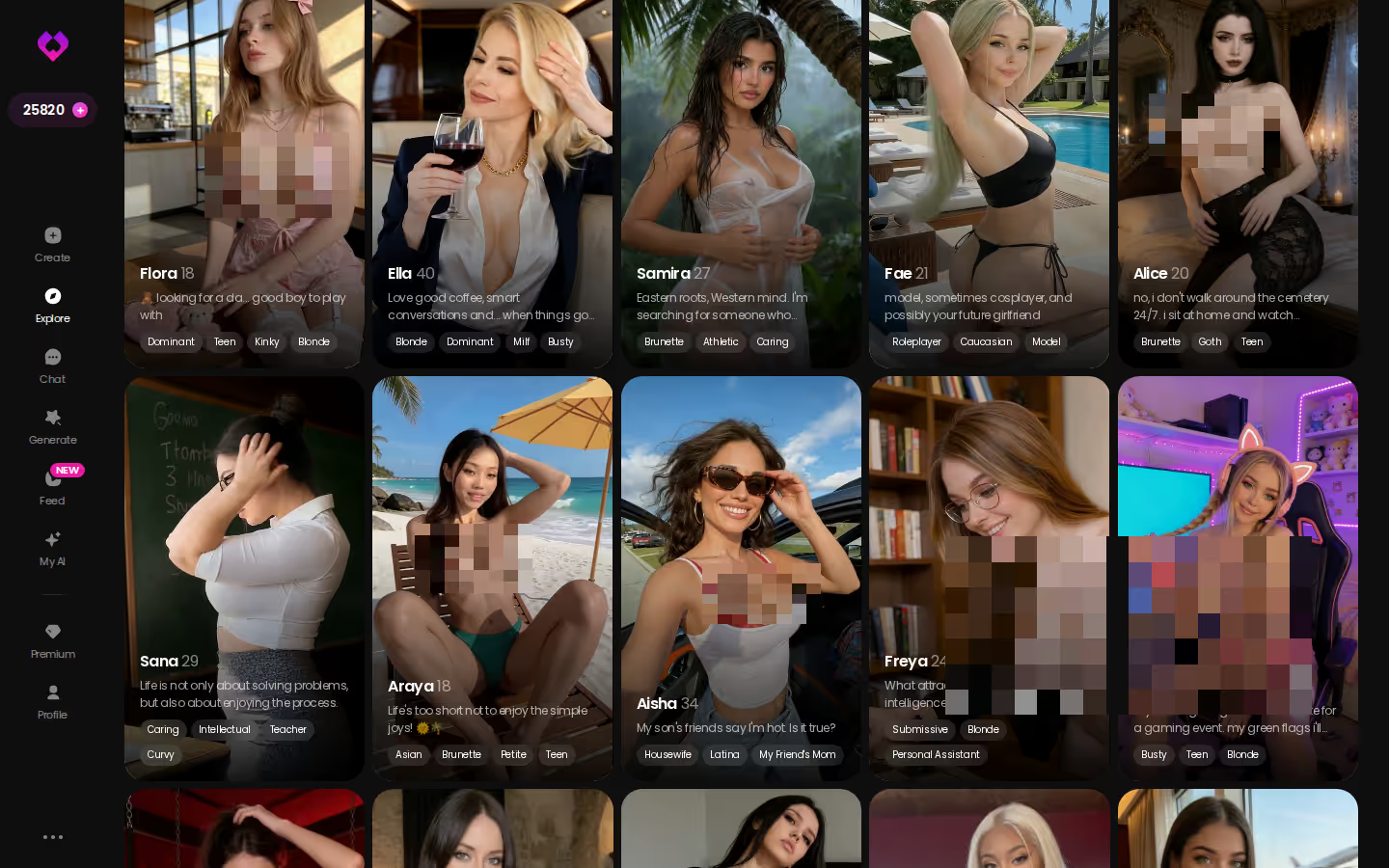
- Open Explore and scroll the realistic roster. The profiles show personality at a glance. Keisha, for example, is "looking for someone to share playlists and dreams with."
- Tap a character. The chat opens right away, with no long form first.
- Pick up where Messenger stalled. Send the kind of message Meta AI kept steering back to neutral. She answers in character and keeps going.
- Ask for a photo in the chat. It comes from her, not from a generic tool.
- Turn it into a short clip with photo-to-video, still in the same thread.
- Find it later. The photo and clip are in her gallery, and the conversation sits in your chats inbox like any Messenger thread.
If you want to compare more options before you commit, see our breakdown of adult AI chat apps worth trying.

Who GoLove.ai Is NOT For
GoLove isn't for everyone. Skip it if you're one of these:
- Free-only users. You get 2 free Stars a day, but the best parts (unlimited feed, filters, heavier generation) sit behind GoLove PRO. If you won't pay anything, ever, you'll hit walls.
- App-store loyalists. GoLove runs in the browser. If you only trust native App Store or Play Store installs, that will bother you.
- Quick-answer seekers. If you mostly want the weather, a recipe or a trip plan inside apps you already use, Meta AI is genuinely better for that.
- People looking for a real human relationship. GoLove is an AI companion, it's upfront about that, and it doesn't replace people.
To be fair to Meta AI, it gets one thing right: convenience. It's already there, it costs nothing extra, and for low-effort questions it's hard to beat. It's just not a companion.
Who Each One Is Actually For
The verdict, plainly:
Verdict: Meta AI is a handy assistant on your social account. GoLove.ai is the companion. Pick GoLove.ai if you want someone who remembers you, talks in her own voice, and sends photos and clips when you ask.
Who each one fits:
and watch their story unfold.View Character
- Meta AI on Facebook: quick answers, trip plans and group-chat fun, on the account you already have. It's free and has no setup.
- GoLove.ai: the pick for anyone who wants a companion that remembers them, speaks in her own voice, and sends photos and clips on request, in a separate adult space.
That's the same result as the highlighted column in the table. Meta wins on convenience. GoLove wins on memory, voice, photos, video and privacy, and those are what make a companion worth coming back to.
My practical advice is to start in Explore. If none of the girls there is quite your type, build your own: pick Realistic, Anime or Trans, or describe her in a sentence with Design with AI and let it create her.
Frequently Asked Questions
01Can I use the AI chatbot on Facebook as a girlfriend or companion?
Technically you can chat with it every night, but the AI chatbot on Facebook isn't built to be anyone's girlfriend. Meta AI is a general assistant, and even the AI Studio characters sit on top of your real social account under all-ages rules, so the flirting stays polite and the relationship never goes anywhere. If you want someone who's actually into you, a dedicated companion app like GoLove.ai is designed for exactly that.
02Does Meta AI in Messenger remember our past conversations the way a companion app does?
Not really. The Facebook AI chatbot does assistant-style recall: it can hold onto facts like your city or your dog's name so it can help you faster. A companion app remembers the relationship itself, meaning your chat history, your running jokes and how things have developed between you. GoLove.ai adds relationship progression on top of that, so her memory feels like she's been paying attention.
03How do photo requests work on GoLove.ai compared with Meta AI's image generation?
On GoLove.ai you ask your companion for a photo right inside the chat and she sends one back as herself, so it feels like part of the conversation. Meta AI's image generation, the one you get through the Facebook AI chatbot, makes generic pictures from whatever you type. It's handy for a birthday card, but those images have nothing to do with a character who knows you.
04How realistic do GoLove.ai's voice and chats feel next to a Facebook chatbot?
This is where the difference is biggest. A Facebook chatbot gives you an assistant voice mode that reads answers aloud, which is useful but not exactly intimate. GoLove.ai gives you live voice calls, voice messages and a voice picker, so she sounds like the person you've been texting. Put that together with chats that remember your history and it stops feeling like talking to a help desk.
05How do I cancel a GoLove.ai subscription if it's not for me?
Cancel from the billing or subscription section of your GoLove.ai account settings, and do it before your next renewal date so you won't be charged again. Take a screenshot of the confirmation so you have a record. Unlike the free AI chatbot on Facebook, a companion app is a paid commitment, so it's smart to know where the cancel button is on day one.
06Is paying for a companion app worth it if Meta AI is already on my phone?
If all you need is quick answers and trip planning, stick with the free AI chatbot on Facebook. That's genuinely what it's good at. If you want continuity, meaning someone who remembers you, sends photos when you ask, calls you in a voice you picked and leans into the flirting, then free isn't getting you there. In that case GoLove.ai is worth paying for.
07Are my chats with Facebook's AI tied to my Facebook account?
Yes. Meta AI runs inside your Meta account, so what you tell the Facebook AI chatbot is connected to your real identity, and Meta has said it uses AI chat interactions to personalize content and ads. That's fine when you're asking for a recipe. It's a lot less comfortable for anything personal or romantic, which is one more reason to keep companion chats in a separate app.
Related Articles
 Insights11 minJuly 29, 2026AI Girlfriend WTF: What Actually Works in 2026AI girlfriend wtf? GoLove.ai actually delivers real voice, memory and photos — see what surprised me in one week. No email needed.Read article
 Insights12 minAugust 13, 2026Unfiltered AI Chatbot: What Actually Works in 2026Unfiltered AI chatbot tested for 4 days — GoLove.ai kept photos, voice, and memory intact through longer scenes. Start, no email needed.Read article
 Insights10 minSeptember 30, 2026Sex Chat GPT: What Actually Works in 2026Sex chat GPT: general chatbots aren't built for it — GoLove.ai wins on in-chat photos and memory. See how chat opens straight from Explore.Read article